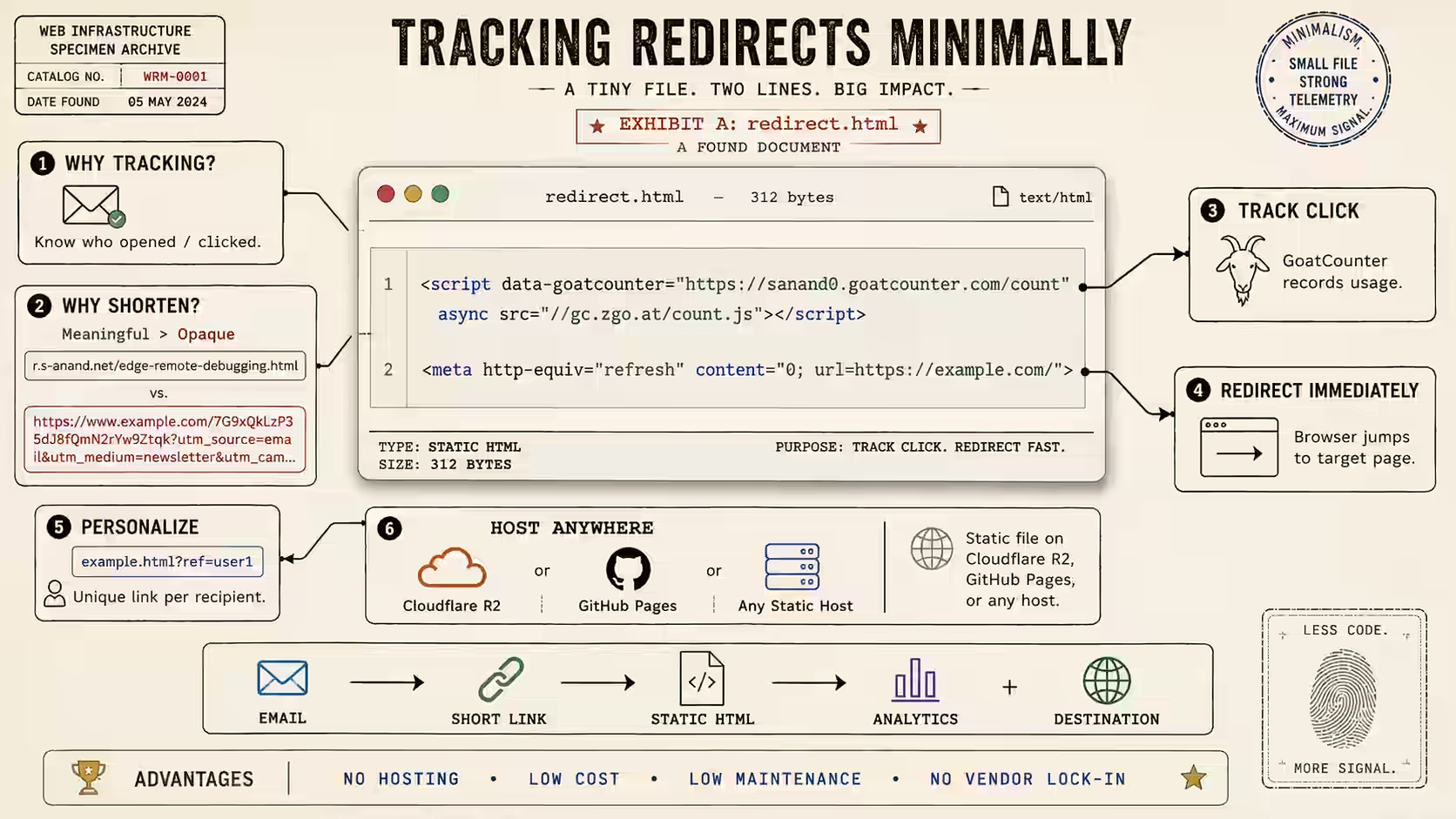
I don't use any blogging software for my site. I just hand-wired it some years ago. When doing this, one of the biggest problems was caching.
Consider each blog entry page. Each page has the same template, but different content. Both the template and content could be changed. So ideally, blog pages should be served dynamically. That is, every time someone requests the page, I should look up the content, look up the template, and put them together.
I did that, and within a few days outgrew my hosting service's CPU usage limit. Running such a program for every page hit is too heavy on the CPU.
One way around this is to create the pages beforehand and serve it as regular HTML. But every time the template changes, you need to re-generate every single page. I had over 2,500 pages. That would kill the CPU usage if I changed the template often.
At that point, I did a piece of analysis. Do I really need to regenerate all 2000 blog entries? Wouldn't the 80-20 rule apply? The Apache log confirmed that 20% of the URLs were accounting for 76% of the hits. So I'd be wasting my time regenerating all the pages every time I changed the template.
So based on this, I decided to dynamically cache the pages. When a page is requested for the first time, I create the page and save it in a cache. The next time, I'd just serve it from the cache. If the template changes, I just need to delete the cache. This way, I only generate pages that are requested, and they're only generated once.
OK, so that's the background. Now let me get to how I did it.
I wrote a Perl script, blog.pl, that would generate a page in the html folder whenever it is called. Next, I changed Apache's .htaccess to run this program only if the page did not exist in the html folder.
# Redirect to cache first
RewriteCond %{REQUEST_FILENAME} !-f
RewriteRule ^([^/]*)\.html$ html/$1.html
# If not found, run program to create page
RewriteCond %{REQUEST_FILENAME} !-f
RewriteRule ^html/([^/]*)\.html$ blog.pl?t=$1
The first block redirects Apache to the cache. The second block checks if the file exists in the cache. If it doesn't, the Apache redirects to the program. The program creates the page in the cache and displays it. Thereafter, Apache will just serve the file from the cache.
This Apache trick can be used in another way. I keep files organised in different folders to simplify my work. But to visitors of this site, that organisation is irrelevant. So I effectively merge these folders into one. For example, I have a folder called a in which I keep my static content. I also have this piece of code:
RewriteCond %{REQUEST_FILENAME} !-f
RewriteRule ^([^/]+)$ a/$1
If any file is not found in the main folder, just check in the a/ folder. So I can access the file /a/hindholam.midi as /hindholam.midi as well.
This can be extended to a series of folders: either as a cascade of caches, or to merge many folders into one.
It's amazing how hard it is to get a good programming editor. I've played around with more editors/IDEs than I care to remember: e Notepad++ NoteTab SciTE Crimson Editor Komodo Eclipse Aptana ...
There are four features that are critical to me.
(Oh, and it's got to be free too. Except for e Text Editor, all the others qualify.)
The problem is, none of the browsers that I've looked at support all of these features.
| Editor | Syntax highlighting | Column editing | Unicode support | Auto-completion |
|---|---|---|---|---|
| e Text Editor | Yes | Yes | No | Yes |
| Crimson Editor | Yes | Yes | No | No |
| Notepad++ | Yes | No | Yes | No |
| NoteTab-Lite | No | No | No | No |
| SciTE | Yes | No | Yes | Yes |
| TextPad | Yes | No | Yes | No |
| UltraEdit | Yes | No | No | ? |
| Aptana | Yes | No | Yes | Yes |
| Eclipse | Yes | No | Yes | Yes |
| Komodo | Yes | No | Yes | Yes |
Wikipedia has a more in-depth comparison of text editors.
Actually, there's another parameter that's pretty important: responsiveness. When I type something, I want to see it on the screen. Right that millisecond. With some of the features added by these editors, there's so much bloat that it often takes up to one second between the keypress and the refresh. That's just not OK.
I've settled on Crimson Editor as my default editor these days, simply because it's quick and has column editing. (Column editing on e Text Editor is a bit harder to use.) When I am writing Unicode, I switch over to Notepad++. For large programs, I'm leaning towards Komodo right now, largely because Eclipse is bloated and Aptana was slow. (Komodo is slow too. Maybe I'll switch back.)
There's many other things on my "would love to have" features, like regular-expression search and replace, line sorting, code folding, brace matching, word wrapping, etc. Most of those, though, are either not too important, or most browsers already have them.
Well, there's the sad thing. I've been hunting for a good text editor for over 10 years now. May someone write a lightweight IDE with column editing.
XPath is a neat way of navigating deep XML structures. It's like using a directory structure. /table//td gets all the TDs somewhere below TABLE.
Usually, you don't need this sort of a thing for data structures, particularly in JavaScript. Something like table.td would already work. But sometimes, it does help to have something like XPath even for data structures, so I built a simple XPath-like processor for Javascript called JPath.
Here are some examples of how it would work:
| jpath(context, "para") | returns context.para |
| jpath(context, "*") | returns all values of context (for both arrays and objects) |
| jpath(context, "para[0]") | returns context.para[0] |
| jpath(context, "para[last()]") | returns context.para[context.para.length] |
| jpath(context, "*/para") | returns context[all children].para |
| jpath(context, "/doc/chapter[5]/section[2]") | returns context.doc.chapter[5].section[2] |
| jpath(context, "chapter//para") | returns all para elements inside context.chapter |
| jpath(context, "//para") | returns all para elements inside context |
| jpath(context, "//olist/item") | returns all olist.item elements inside context |
| jpath(context, ".") | returns the context |
| jpath(context, ".//para") | same as //para |
| jpath(context, "//para/..") | returns the parent of all para elements inside context |
Some caveats:
There are a couple of reasons why this sort of thing is useful.
for (var list=[], i=0; i < data.length; i++) {
list.push(data[i][0]);
}
... or the short way:
$.map(data, function(v) {
return v[1];
})
But the best would be something like:
jpath(data, "//1")
{"responseData": {
"feed": {
"title": "Digg",
"link": "http://digg.com/",
"author": "",
"description": "Digg",
"type": "rss20",
"entries": [
{
"title": "The Pirate Bay Moves Servers to Egypt Due to Copyright Laws",
"link": "http://digg.com/tech_news/The_Pirate_Bay_Moves_Servers_to_Egypt_Due_to_Copyright_Laws",
"author": "",
"publishedDate": "Mon, 31 Mar 2008 23:13:33 -0700",
"contentSnippet": "Due to the new copyright legislation that are going ...",
"content": "Due to the new copyright legislation that are going to take...",
"categories": [
]
},
{
"title": "Millions Dead/Dying in Recent Mass-Rick-Rolling by YouTube.",
"link": "http://digg.com/comedy/Millions_Dead_Dying_in_Recent_Mass_Rick_Rolling_by_YouTube",
"author": "",
"publishedDate": "Mon, 31 Mar 2008 22:53:30 -0700",
"contentSnippet": "Click on any \u0022Featured Videos\u0022. When will the insanity stop?",
"content": "Click on any \u0022Featured Videos\u0022. When will the insanity stop?",
"categories": [
]
},
...
]
}
}
, "responseDetails": null, "responseStatus": 200}
If you wanted all the title entries, including the feed title, the choice is between:
var titles = [ result.feed.title ];
for (var i=0, l=result.feed.entries.length; i<l; i++) {
titles.push(result.feed.entries[i].title;
}
... versus...
titles = jpath(result, '//title');
If, further, you wanted the list of all categories at one shot, you could use:
jpath(result, "//categories/*")
Most of my screen-scraping so far has been through Perl (typically WWW::Mechanize). The big problem is that it doesn't support Javascript, which can often be an issue:
There are many approaches to overcoming this. The easiest is to use Win32::IE::Mechanize, which uses Internet Explorer in the background to actually load the page and do the scraping. It's a bit slower than scraping just the HTML, but it'll get the job done.
Another is to use Rhino. John Resig has written env.js that mimics the browser environment, and on most simple pages, it handles the Javascript quite well.
I would rather have a hybrid of both approaches. I don't like the WWW::Mechanize interface. I've gotten used to jQuery's rather powerful selectors and chainability. So I'll tell you a way of using jQuery to screen-scrape offline using Python. (It doesn't have to be Python. Perl, Ruby, Javascript... any scripting language that can use COM on Windows will work.)
Let's take Google Video. Currently, it relies almost entirely on Javascript. The video marked in red below appears only if you have Javascript.
I'd like an automated way of checking what video is on top on Google Video every hour, and save the details. Clearly a task for automation, and clearly not one for pure HTML-scraping.
I know the video's details are stored in elements with the following IDs (thanks to XPath checker):
| ID | What's there |
|---|---|
| hs_title_link | Link to the video |
| hs_duration_date | Duration and date |
| hs_ratings | Ratings. The stars indicate the rating and the span.Votes element inside it has the number of people who rated it. |
| hs_site | The site that hosts the video |
| hs_description | Short description |
So I could do the following on Win32::IE::Mechanize.
use Win32::IE::Mechanize;
my $ie = Win32::IE::Mechanize->new( visible => 1 );
$ie->get("http://video.google.com/");
my @links = $ie->links
# ... then what?
I could go through each link to extract the hs_title_link, but there's no way to get the other stuff.
Instead, we could take advantage of a couple of facts:
<script> tag pointing to jQuery. Then, you can call jQuery from the scripting language!Let's take this step by step. This Python program opens IE, loads Google Video and prints the text.
# Start Internet Explorer
import win32com.client
ie = win32com.client.Dispatch("InternetExplorer.Application")
# Display IE, so you'll know what's happening
ie.visible = 1
# Go to Google Video
ie.navigate("http://video.google.com/")
# Wait till the page is loaded
from time import sleep
while ie.Busy: sleep(0.2)
# Print the contents
# Watch out for Unicode
print ie.document.body.innertext.encode("utf-8")
The next step is to add jQuery to the Google Video page.
# Add the jQuery script to the browser
def addJQuery(browser,
url="http://jqueryjs.googlecode.com/files/jquery-1.2.4.js"):
document = browser.document
window = document.parentWindow
head = document.getElementsByTagName("head")[0]
script = document.createElement("script")
script.type = "text/javascript"
script.src = url
head.appendChild(script)
while not window.jQuery: sleep(0.1)
return window.jQuery
jQuery = addJQuery(ie)
Now the variable jQuery contains the Javascript jQuery object. From here on, you can hardly tell if you're working in Javascript or Python. Below are the expressions (in Python!) to get the video's details.
# Video title: "McCain's YouTube Problem ..."
jQuery("#hs_title_link").text()
# Title link: '/videoplay?docid=1750591377151076231'
jQuery("#hs_title_link").attr("href")
# Duration and date: '3 min - May 18, 2008 - '
jQuery("#hs_duration_date").text()
# Rating: 5.0
jQuery("#hs_ratings img").length
# Number of ratings '(8,288 Ratings) '
jQuery("#hs_ratings span.Votes").text()
# Site: 'Watch this video on youtube.com'
jQuery("#hs_site").text()
# Video description
jQuery("#hs_description").text()
This wouldn't have worked out as neatly in Perl, simply because you'd need to use -> instead of . (dot). With Python (and with Ruby and Javascript on cscript), you can almost cut-and-paste jQuery code.
If you want to click on the top video link, use:
jQuery("#hs_title_link").get(0).click()
In addition, you can use the keyboard as well. If you want to type username TAB password, use this:
shell = win32com.client.Dispatch("WScript.Shell")
shell.sendkeys("username{TAB}password")
You can use any of the arrow keys, control keys, etc. Refer to the SendKeys Method on MSDN.
I've added some interactivity to the Statistically improbable phrases application. You can now:
I read about Google AppEngine early this morning, and applied for an invite. Google's issuing beta invites to the first 10,000 users. I was pretty convinced I wasn't among those, but turns out I was lucky.
AppEngine lets you write web apps that Google hosts. People have been highlighting that it give you access to the Google File System and BigTable for the first time. But to me, that isn't a big deal. (I'm not too worried about reliability, and MySQL / flat files work perfectly well for me as a data store.)
What's more interesting unlike Amazon's EC2 and S3, this is free up to a certain quota. And you get a fair bit of processing power and bandwidth for free. One of the reasons I've held back on creating some apps was simply because it would take away too much bandwidth / CPU cycles from my site. (I've had this problem before.) Google quota is 10 GB of bandwidth per day (which is about 30 times what my site uses). And this is on Google's incredibly fast servers It also offers 200 million megacycles a day. That's like a dedicated 2.3 GHz processor (200 million megacycles = 200,000 GHz x 1 second ~ 2.3 GHz x 86,400 seconds/day) -- better, because this is the average capacity, not peak capacity. The only restriction that really worries me is that only 3 apps are allowed per developer.
So I decided to give a shot at publishing some code I'd kept in reserve for a long time. You may remember my statistical analysis of Calvin & Hobbes. For this, I'd created a script in Perl that could generate Statistically Improbable Phrases (SIPs) for any text. This is based on (a somewhat limited) 23MB corpus of ebooks that I had. I'd wanted to put that up on my website, but ...
AppEngine only uses Python. So the first task was to get Python, and then to learn Python. The only saving grace was that I was just cutting-and-pasting most of the time. Google wasn't helping:
Anyway, the site is up. You can view it at sip.s-anand.net for now. Just type a URL, and it'll tell you the improbable words in that site.
Technical notes
I realise that these are statistically improbable words, not phrases. I'll get to the phrases in a while.
The logic is simple:
The source code is here.
Update: 12-Apr-2008. I've added some interactivity. You can play with the contrast and font size, the filter out common or infrequent words.
Update: 22-Apr-2008. Added concordance. You can click on a word and see the context in which it appears.
One of the coolest features of jQuery is the ability to chain functions. The output of a function is the calling object. So instead of writing:
var a = $("<div></div>");
a.appendTo($("#id"));
a.hide();
... I can instead write:
$("<div></div>").appendTo($("#id")).hide();
A reasonable number of predefined Javascript functions can be used this way. I make extensive use of it with the String.replace function.
But where this feature is not available, you an create it in a fairly unobstrusive way. Just add this code to your script:
Function.prototype.chain = function() {
var that = this;
return function() {
// New function runs the old function
var retVal = that.apply(this, arguments);
// Returns "this" if old function returned nothing
if (typeof retVal == "undefined") { return this; }
// else returns old value
else { return retVal; }
}
};
var chain = function(obj) {
for (var fn in obj) {
if (typeof obj[fn] == "function") {
obj[fn] = obj[fn].chain();
}
}
return obj;
}
Now, chain(object) returns the same object, with all its functions replaced with chainable versions.
What's the use? Well, take the Google AJAX search API. Normally, to search for the top 8 "Harry Potter" PDFs on esnips.com, I'd have to do:
var searcher = new google.search.WebSearch();
searcher.setQueryAddition("filetype:PDF");
searcher.setResultSetSize(google.search.Search.LARGE_RESULTSET);
searcher.setSiteRestriction("esnips.com");
searcher.setSearchCompleteCallback(onSearch);
searcher.execute("Harry Potter");
Instead, I can now do this:
chain(new google.search.WebSearch())
.setQueryAddition("filetype:PDF")
.setResultSetSize(google.search.Search.LARGE_RESULTSET)
.setSiteRestriction("esnips.com")
.setSearchCompleteCallback(onSearch)
.execute("Harry Potter");
(On the whole, it's probably not worth the effort. Somehow, I just like code that looks like this.)
If something goes wrong with my site, I like to know of it. My top three problems are:
- The site is down
- A page is missing
- Javascript isn't working
This is the last of 3 articles on these topics.
I am not a professional developer. In fact, I'm not a developer at all. I'm a management consultant. (Usually, it's myself I'm trying to convince.)
Since no one pays me for what little code I write, no one shouts at me for getting it wrong. So I have a happy and sloppy coding style. I write what I feel like, and publish it. I don't test it. Worse, sometimes, I don't even run it once. I've sent little scripts off to people which wouldn't even compile. I make changes to this site at midnight, upload it, and go off to sleep without checking if the change has crashed the site or not.
But no one tells me so
At work, that's usually OK. On the few occasions where I've written Perl scripts or VB Macros that don't work, people call me back within a few hours, very worried that THEY'd done something wrong. (Sometimes, I don't contradict them.)
On my site, I don't always get that kind of feedback. People just click the back button and go elsewhere.
Recently, I've been doing more Javascript work on my site than writing stuff. Usually, the code works for me. (I write it for myself in the first place.) But I end up optimising for Firefox rather than IE, and for the plugins I have, etc. When I try the same app a few months later on my media PC, it doesn't work, and shockingly enough, no one's bothered telling me about it all these months. They'd just click, nothing happens, they'd vanish.
But their browsers can tell me
The good part about writing code in Javascript is that I can catch exceptions. Any Javascript error can be trapped. So since the end of last year, I've started wrapping almost every Javascript function I write in a try {} catch() {} block. In the catch block, I send a log message reporting the error.
The code looks something like this:
function log(e, msg) {
for (var i in e) { msg += i + "=" + e[i] + "\\n"; }
(new Image()).src="log.pl?m=" + encodeURIComponent(msg);
}
function abc() {
try {
// ... function code
} catch(e) { log(e, "abc"); }
}
Any time there's an error in function abc, the log function is called. It sends the function name ("abc") and the error details (the contents of the error event) to log.pl, which stores the error, along with details like the URL, browser, time and IP address. This way, I know exactly where what error occurs.
This is a fantastic for a three reasons.
I'd think this sort of error reporting should be the norm for any software. At least for a web app, given how easy it is to implement.
My music search engine shows a list of songs as you type -- sort of like Google's autosuggest feature. I load my entire list of songs upfront for this to work. Though it's compressed to load fast, each time you load the page, it downloads about 500KB worth of song titles.
My allotted bandwidth on my hosting service is 3GB per month. To ensure I don't exceed it, I uploaded the songs list to an alternate free server: Freehostia. This keeps my load down. If I exceed Freehostia's limit, my main site won't be affected -- just the songs. I also uploaded half of them to Google Pages, to be safe.
This all worked fine... until recently. Google Pages has a relatively low bandwidth restriction. (Not sure what, and they won't reveal it, but my site is affected.) Freehostia is doing some maintenance, and their site goes down relatively often. So my song search goes down when any of these go down.
Now, these are rarely down simultaneously. Just one or the other. But whenever Freehostia is down, I can't listen to one bunch of songs. When Google Pages is down, I can't listen to another.
What I needed was a load distribution set-up. So I've made one in JavaScript.
Normally, I load the song list using an external javascript. I have a line that says:
<script src="http://sanand.freehostia.com/songs/..."></script>
... and the song's loaded from Freehostia.
What I'd like to do is:
loadscripts(
"list.hasLoaded()", [
"http://sanand.freehostia.com/songs/...",
"http://root.node.googlepages.com/...",
"http://www.s-anand.net/songs/..."
])
If the function can't load it from the first link, it loads it from the second, and so on, until list.hasLoaded() returns true.
Here's how I've implemented the function:
function loadscripts(check, libs) {
document.write('<script src="' + libs.shift() +
'"><' + '/script>');
if (libs.length>0) document.write('<script>if (!(' + check + ')) {'
+ 'loadscripts("' + check + '",["' + libs.join('","')+'"])'
+ '}</' + 'script>')
}
The first document.write loads the first script in the list. The if condition checks if there's more scripts to load. If yes, the second document.write writes a script that
I've expanded the sites that have these free songs as well. So now, as long as my main site works, and at least one of the other sites work, the search engine will work.
PS: You can easily expand this to do random load distribution as well.